Follow the given below steps to create new account easily on Happymod.
- First of all, open the app.
- Now tap on the top-right icon near downloads to go to the app management.
- After opeing it, you will see the interface as shown below.
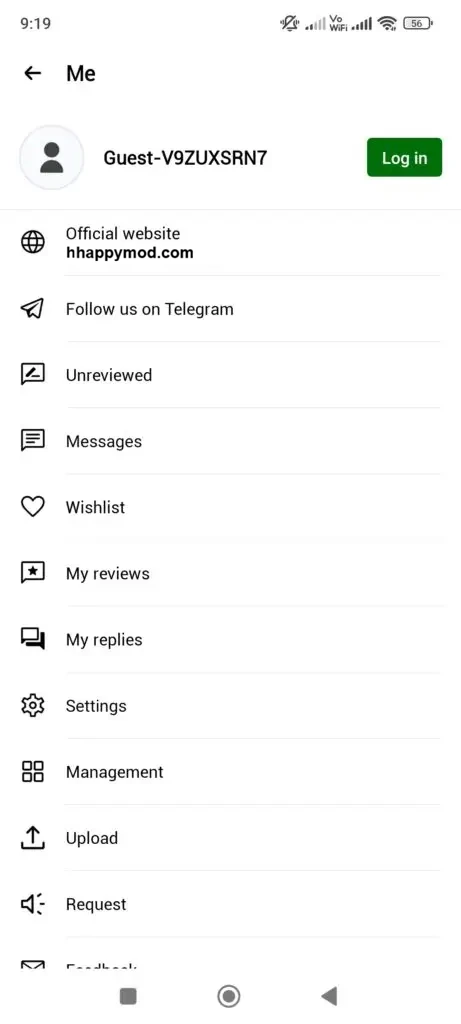
- You will see that currently you are using Happy Mod as a guest.
- Now tap on the Log in button to start creating your account.
- After going to Log in page, you will see the page which is shown below.
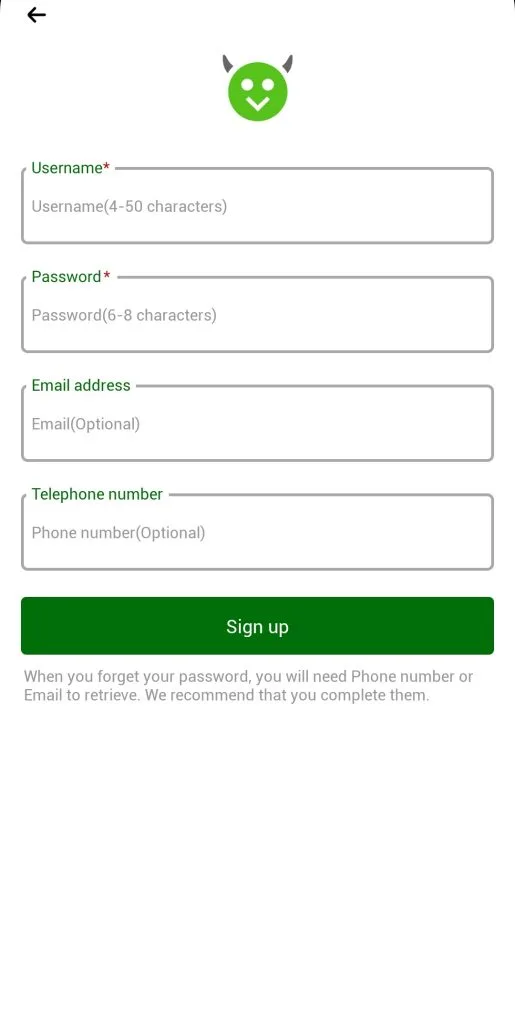
- Now fill in all the credentials carefully and save them on your PC for the future.
- Tap on the Sign Up button and you have successfully created your account.
Download the Latest version of HappyMod and create your account if you want to get recommendations or want to upload your own mod app.